Visa OCR API
The following document highlights the details of the Visa OCR API.
API Description
Objective
The Visa OCR API extracts data from visa documents using Optical Character Recognition (OCR) technology and returns the information in JSON format.
| Input | Output |
|---|---|
| The image of a visa document | OCR results containing visa number, issue date, validity date, confidence scores, and review flags |
API URL
https://ind-engine.thomas.hyperverge.co/v1/visaOCR
API Endpoint
visaOCR
Overview
The Visa OCR API is RESTful and uses standard HTTP verbs and status codes. The responses are in JSON format, and you should upload all images and files as form-data through a POST request.
Method - POST
Authentication
You need a unique pair of application ID ( appId ) and application key ( appKey ) from HyperVerge to verify your identity for accessing the Visa OCR API.
Headers
| Header | Mandatory / Optional | Description | Input Format |
|---|---|---|---|
| content-type | Mandatory | This parameter defines the media type for the request payload | multipart/form-data |
| appId | Mandatory | The application identifier shared by HyperVerge. You can find the details in the dashboard's credentials tab | This should be a unique value |
| appKey | Mandatory | The application key shared by HyperVerge. You can find the details in the dashboard's credentials tab | This should be a unique value |
Inputs
The following table provides the details of the parameters required for the Visa OCR API's request body:
| Parameter | Mandatory / Optional | Type | Description | Input Format | Default Value |
|---|---|---|---|---|---|
image | Mandatory | file | The visa document image file to be processed | Image file (JPEG, JPG, or PNG) with a maximum size of 6MB, or a PDF file | Not Applicable |
- When multiple images are included in a single API request, only one image is processed. Ensure that each API call contains a single image.
- For PDF files with multiple pages, only the first page is processed for OCR extraction.
Request
The following code snippet demonstrates a standard curl request for the Visa OCR API:
curl --location --request POST 'https://ind-engine.thomas.hyperverge.co/v1/visaOCR' \
--header 'appid: <Enter_the_appId-Shared-by-HyperVerge>' \
--header 'appkey: <Enter_the_appKey-shared-by-HyperVerge>' \
--form 'image=@"<Enter_the_image_file_path>"'
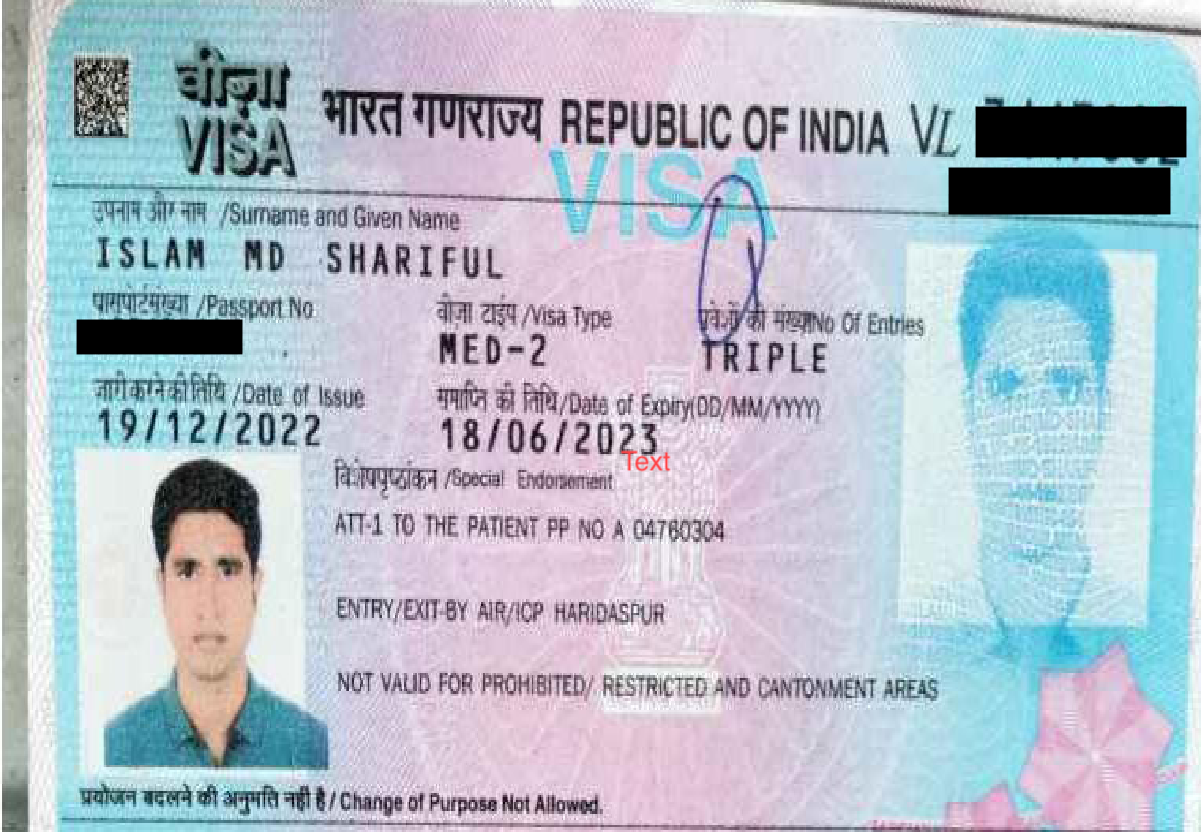
Document Sample
The following is a sample Visa document:
Supported Visa Variants
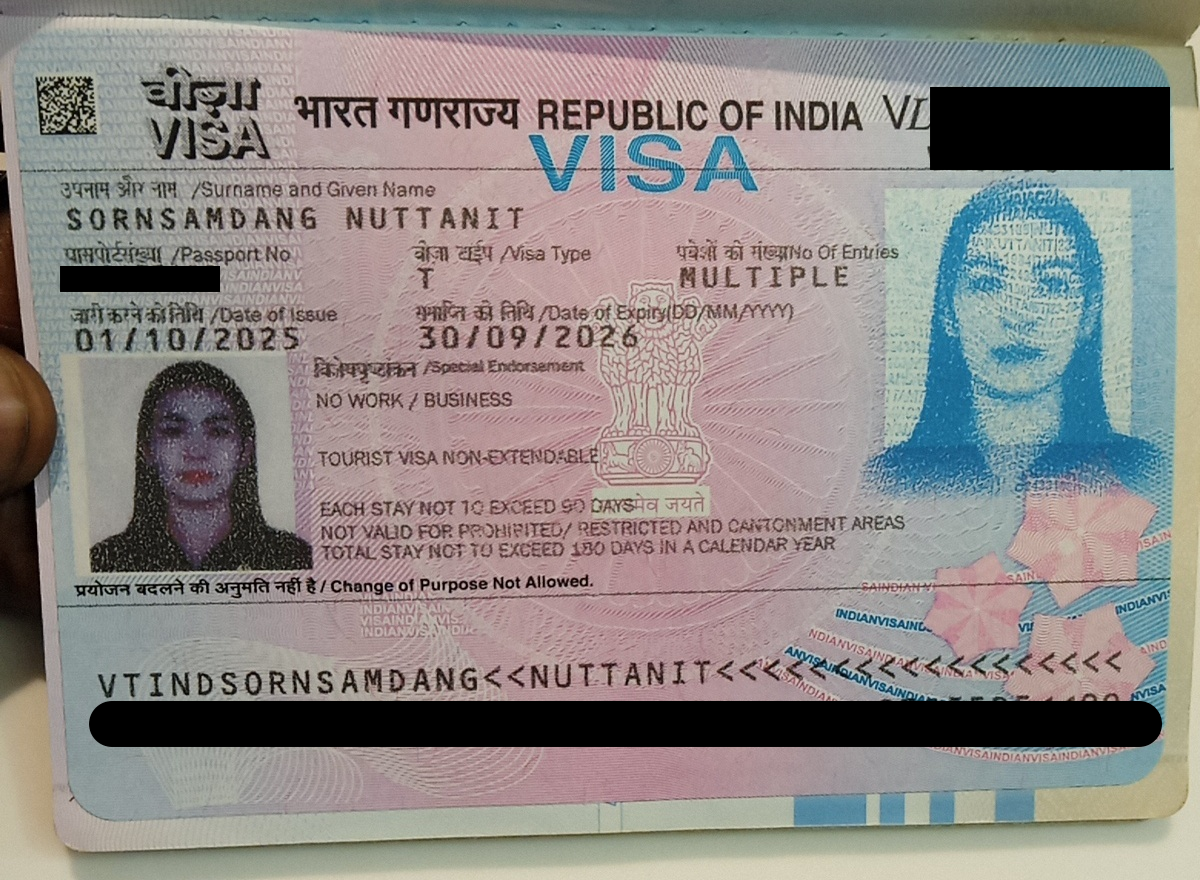
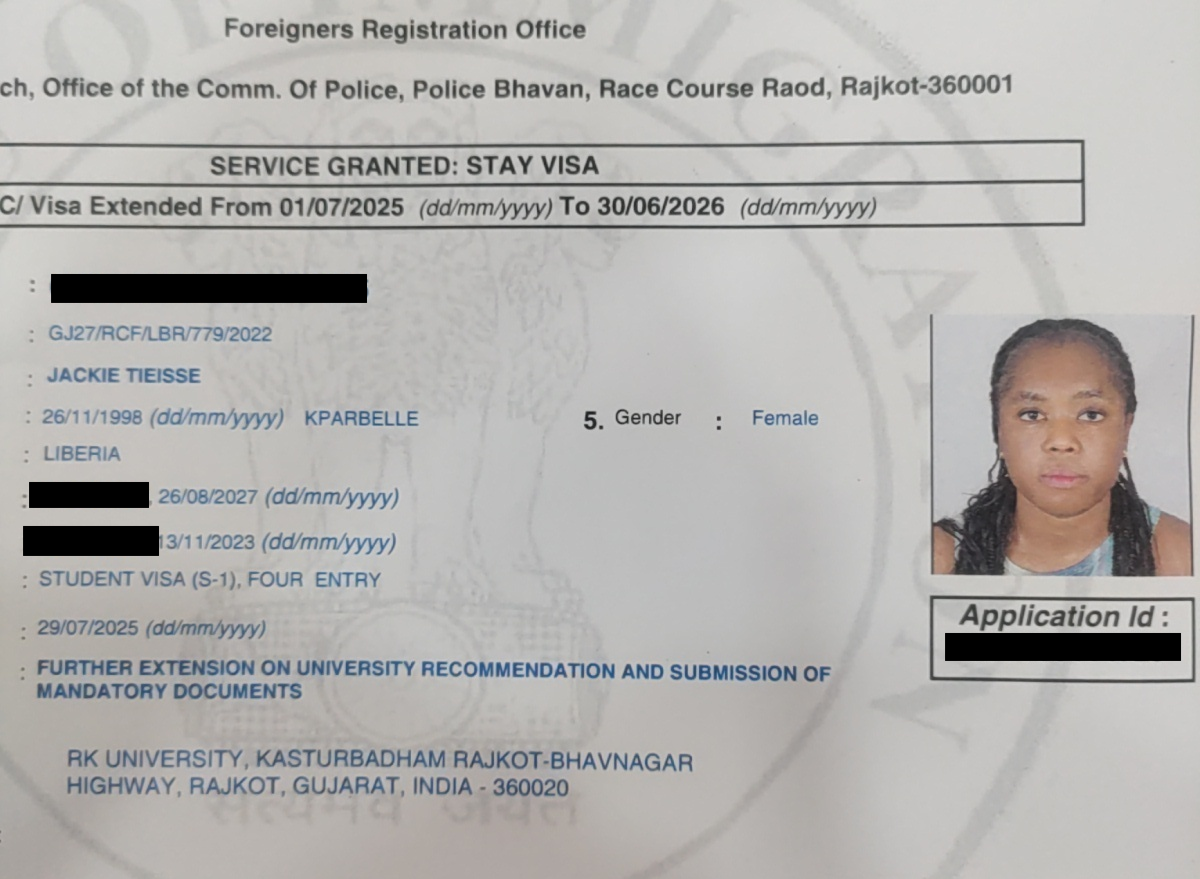
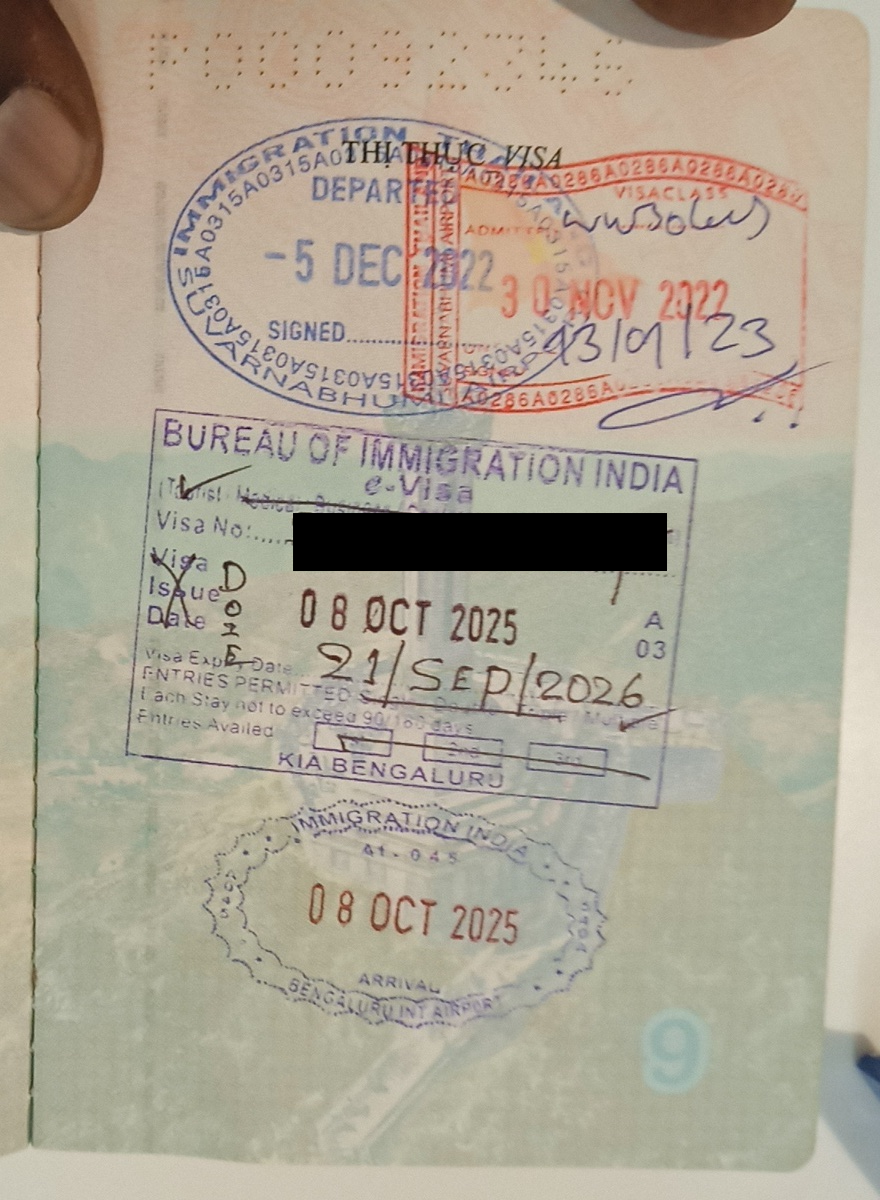
The API supports OCR extraction from three major visa document variants:
-
Printed Visas: Traditional printed visa documents with standard formatting
-
Digital Visas: Electronically generated visa documents
-
Stamped Visas: Physical visa stamps on passport pages
Success Response
The following code snippet demonstrates a success response from the Visa OCR API:
{
    "status": "success",
    "statusCode": 200,
    "metaData": {
        "requestId": "<Request_ID>"
    },
    "result": [
        {
            "details": {
                "visa_number": {
                    "value": "<Visa_Number>",
                    "conf": <Confidence_Score>,
                    "to-be-reviewed": "<Review_Flag>"
                },
                "issue_date": {
                    "value": "<Issue_Date>",
                    "conf": <Confidence_Score>,
                    "to-be-reviewed": "<Review_Flag>"
                },
                "validity": {
                    "value": "<Validity_Date>",
                    "conf": <Confidence_Score>,
                    "to-be-reviewed": "<Review_Flag>"
                }
            },
            "type": "visa"
        }
    ]
}
Success Response Details
The following table outlines the details of the success response from the Visa OCR API:
| Parameter | Type | Description |
|---|---|---|
status | string | The status of the API request indicating success or failure |
statusCode | integer | The HTTP status code for the response |
metaData | object | The JSON object containing request identifiers |
requestId | string | The unique identifier for tracking the request |
result | array | The array containing the extracted visa information |
details | object | The JSON object containing the extracted visa fields |
visa_number | object | The object containing the unique visa identification number extracted from the document |
visa_number.value | string | The extracted visa number value from the visa document |
visa_number.conf | float | The confidence score for the visa number extraction, ranging from 0 to 1, where 0 indicates low confidence and 1 indicates high confidence |
visa_number.to-be-reviewed | string | The flag indicating if manual review is required for the visa number, set to "yes" when confidence is low or when validity period exceeds 10 years, otherwise "no" |
issue_date | object | The object containing the date when the visa was issued, extracted from the document |
issue_date.value | string | The extracted issue date value in DD/MM/YYYY format |
issue_date.conf | float | The confidence score for the issue date extraction, ranging from 0 to 1, where 0 indicates low confidence and 1 indicates high confidence |
issue_date.to-be-reviewed | string | The flag indicating if manual review is required for the issue date, set to "yes" when confidence is low or when validity period exceeds 10 years, otherwise "no" |
validity | object | The object containing the date when the visa expires, extracted from the document |
validity.value | string | The extracted validity date value in DD/MM/YYYY format |
validity.conf | float | The confidence score for the validity date extraction, ranging from 0 to 1, where 0 indicates low confidence and 1 indicates high confidence |
validity.to-be-reviewed | string | The flag indicating if manual review is required for the validity date, set to "yes" when confidence is low or when validity period exceeds 10 years, otherwise "no" |
type | string | The document type identifier, which always returns "visa" for visa documents |
Failure Response
The following code snippet demonstrates a failure response from the Visa OCR API:
{
    "status": "failure",
    "statusCode": 400,
    "message": "Input Validation Error: requires property \"image\""
}
Error Responses
The following are some error responses from the Visa OCR API:
- Missing Image Input
- Image Size Exceeds Limit
- Document Not Detected
- Internal Server Error
{
    "message": "Input Validation Error: requires property \"image\"",
    "statusCode": 400,
    "status": "failure"
}
{
    "statusCode": 400,
    "status": "failure",
    "error": "Image size cannot be greater than 6MB"
}
{
    "status": "failure",
    "statusCode": 422,
    "error": "Document Not Detected",
    "metaData": {
        "requestId": "<Request_ID>"
    }
}
{
    "status": "failure",
    "error": "internal server error",
    "statusCode": 500
}
Error Response Details
A failure or error response contains a failure status with a relevant status code and error message.
The following table lists all error responses:
| Status Code | Error Message | Error Description | Error Resolution |
|---|---|---|---|
| 400 | Input Validation Error: requires property "image" | The request is missing the required image parameter | Ensure the request includes the image parameter with a valid image file |
| 400 | Image size cannot be greater than 6MB | The uploaded image file exceeds the maximum allowed size of 6MB | Compress or resize the image to ensure it is under 6MB before uploading |
| 422 | Document Not Detected | The request does not contain a valid visa document, or a non-visa document was uploaded | Ensure the uploaded image contains a valid visa document with standard visa-related keywords for successful detection |
| 500 | internal server error | An unexpected server error occurred during processing | Check the request headers or contact the HyperVerge team for resolution |